How to Audit Software Subscriptions Before They Renew
A five-step yearly routine for finding idle seats, hidden add-ons and surprise renewals in a small team's software stack.

To audit software subscriptions, list every paid tool, match each one to real usage, calendar every renewal date and keep the invoices. Do this at least once a year. Most small teams find idle seats, duplicate tools and renewals nobody planned for, and the savings land before the next billing cycle.
This guide is for owners and operators who pay for more software than they can name from memory. Little iApps covers business software, and the audit below is the one routine we suggest before any renewal. It takes about two hours for a team of 20.
Why Audit Software Subscriptions Every Year?
Subscriptions drift. People sign up with a company card, a trial turns into a paid plan, and a manager adds seats for a project that ended in spring. A yearly audit catches that drift before it renews, which is the only moment you have real leverage with the vendor.
Here is a simple example. A 20-person team pays $12 per seat per month for a project tool, but only 14 people log in. Six idle seats cost $864 a year. Multiply that across six or seven tools and the waste adds up quickly.
An audit also shows risk, not just cost. The National Institute of Standards and Technology (NIST) asks small businesses to inventory their systems, because you cannot protect what you cannot list. You can see that advice in its small business guidance on multi-factor authentication.
Step 1: Build One List of Every Paid Tool

Open a single spreadsheet and give it these columns: tool name, what it does, owner, plan, seats, monthly or annual price, renewal date and payment method. Keep it plain. Fancy tracking software is not needed for a list this short.
Fill it in from three places. First, scan the last 12 months of card and bank statements for recurring charges. Second, search your finance inbox for words like "receipt," "invoice" and "renewal." Third, ask each team lead what they pay for, because department cards often sit outside the main books.
Expect surprises. Department cards, personal cards that are later expensed and free trials that quietly converted all show up at this stage. Add them even if you plan to cancel them, so the list shows the full picture.
Name one owner per tool. When nobody owns a subscription, nobody cancels it. If you are also weighing a security tool such as a password manager, the 1Password pricing breakdown for small teams shows how per-seat tiers add up at your size.
Step 2: How Do You Check Who Actually Uses Each Seat?

Compare paid seats with active users over the last 60 to 90 days. Most admin dashboards show a last-login date or an activity report. Export it, add the count to your spreadsheet, and flag any seat with no activity in the period.
Look for three patterns while you are there. Former employees and contractors still holding seats are the first. Two tools that do the same job, such as two chat apps or two e-signature products, are the second. Premium tiers bought for one feature that nobody uses are the third.
Check the cheaper options before you cancel anything. Many vendors let you move a light user to a view-only or free role. That keeps the person in the system and removes the full seat charge.
Step 3: Put Every Renewal Date on a Calendar
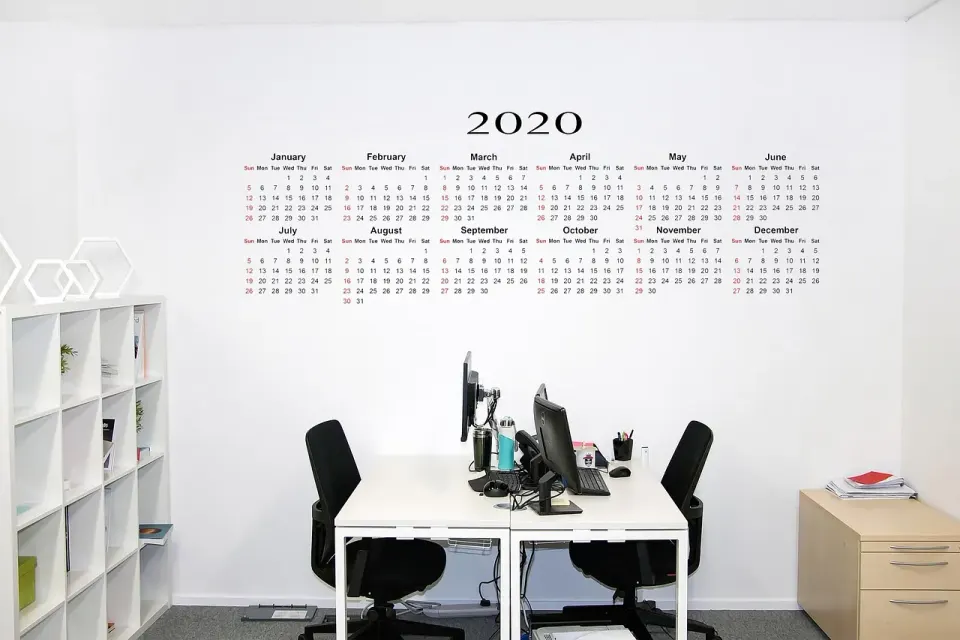
Add each renewal date to a shared calendar. Then add a second reminder 45 days earlier, which is your decision deadline. Annual plans often need 30 days of notice or auto-renew at a higher rate, and a reminder on the renewal day itself is too late.
Read the cancellation terms while you are at it. Note whether the plan renews monthly or yearly, whether notice must be in writing, and whether the price can change at renewal. Vendors raise list prices often, so assume a rise and plan for it. Our guide on how to budget for a 5% software price increase walks through the arithmetic.
Rank the renewals by cost and by date. The biggest annual contracts that fall due first get your attention first.
Step 4: Keep the Invoices Your Records Need

An audit is the best time to fix your paperwork. The Internal Revenue Service (IRS) says small business owners must be able to prove an expense to deduct it, and that the general rule is to keep records for three years. Its page on common questions about recordkeeping for small businesses sets out both points.
Save each invoice or receipt in one shared folder, named by vendor and date. Many tools let you download invoices from a billing page, and some delete old ones when you cancel. Download them before you leave.
The IRS also notes that you can choose any recordkeeping system that clearly shows income and expenses. Its article on good recordkeeping for small businesses is a short, useful read. This is general information, so ask your accountant how it applies to your business.
Which Hidden Costs Should the Audit Look For?
Look past the seat price. Add-ons, usage overages and automatic tier upgrades often make up a large share of the real bill. Pull the last invoice for each tool and check every line against what you meant to buy.
Four items come up again and again. Extra storage or contact-list tiers that grew quietly are the first. Per-user add-ons, such as an AI assistant or advanced reporting, are the second. Implementation or support packages that renewed automatically are the third. Annual price uplifts written into the contract are the fourth.
Work out the full cost per active user for each tool. Say an invoice totals $2,160 a year for seats plus a per-seat add-on, and only 14 people use the tool. The true cost is about $154 per person per year. That number is the one to compare against alternatives, not the headline price.
How Do You Decide What to Cut, Downgrade or Keep?
Sort every tool into one of four outcomes: cut it, downgrade it, keep it as is, or renegotiate it. Decide using usage, overlap and cost per active user, not gut feel. The table below shows a simple rule set you can adapt.
| Finding | Action | Example |
|---|---|---|
| No logins in 90 days | Cut | A design tool left over from a finished project |
| Fewer active users than seats | Downgrade | 20 seats paid, 14 in use, so drop to 15 |
| Two tools, one job | Merge | Keep the one your team already prefers |
| High use, rising price | Renegotiate | Ask for a multi-year rate or annual discount |
| High use, fair price | Keep | Core accounting or payroll software |
Before you cut anything, check whether other tools depend on it. A small app may feed data into your accounting or CRM system. If you plan to switch, our walkthrough on how to move off Office 2021 after support ended shows how to plan a migration without losing files.
When you renegotiate, bring your usage numbers. A vendor is far more willing to discount a customer who can show a lower seat count and a competing quote. Ask for a price lock on renewal, since that protects you from a surprise increase.
What Can Go Wrong During an Audit?
The most common mistake is cancelling before exporting data. Download your files, contacts and history first, and confirm the export opens. Some vendors delete accounts within days of cancellation, and others charge to restore them.
Shared logins are the second trap. If three people use one login, a usage report shows one active seat and hides real dependence. Ask the team before you remove anything that looks quiet.
The third is cutting a tool that another one needs. Check integrations, automations and single sign-on connections before you act. A short message to the tool owner is usually enough to catch a problem.
What Should Your Yearly Audit Routine Look Like?
Schedule the audit about 90 days before your largest renewal. Block two hours, keep the spreadsheet in a shared folder and assign one person to run it. Then repeat the seat check every quarter, which takes about fifteen minutes once the list exists.
New subscriptions need a gate. Ask staff to add any new tool to the list before the first payment, and name its owner and renewal date on day one. That single rule stops most future drift.
At Little iApps, we recommend treating the audit as a standing line item in the yearly budget, not a one-off clean-up. Teams that keep the list current usually spend minutes, not hours, at each renewal.
Conclusion: Make the Audit a Habit
You do not need special software to audit software subscriptions. You need one list, one calendar and one owner for each tool. Start with the biggest renewals this quarter, remove the idle seats, and save every invoice as you go. Then put the next audit date in the calendar before you close the spreadsheet.
How often should a small business audit its software subscriptions?
What is the fastest way to find forgotten software subscriptions?
Can I cancel a software subscription in the middle of a billing term?
How long should I keep software invoices for tax purposes?
Keep reading
More from the Pricing desk
-
 Pricing
Slack Pricing in 2026: Pro vs Business+ and the New Success Plans
What Slack Pro, Business+ and Enterprise+ cost per seat in November 2026, and how the October support change shifts the math.
-
 Pricing
SaaS Sales Tax in California and Colorado: What It Adds to Your 2027 Software Budget
California and Colorado start taxing many software subscriptions on January 1, 2027. Here is what it adds to a small team's bill and how to plan for it.
-
 Pricing
Software Price Increases in 2027: How to Budget for a 5% Rise
Software vendors plan a median 5% price rise for 2027, and small vendors plan more. Here is the per-seat math and a method to budget for it.
Join the readership
Liked this? Let's connect.




We respect your privacy. One considered email each Thursday.